Make each click easy to follow
Screen recording with automatic zoom
Automatic zoom changes the framing around an interaction so viewers can see the relevant controls. Click to Reel combines screen recording, cursor focus and editing in one desktop workflow. You start with a real recording and review the camera movement before export.
macOS 13+ (Apple silicon) · Windows 10/11 (x64)
Click to Reel · v0.1.41 · Updated
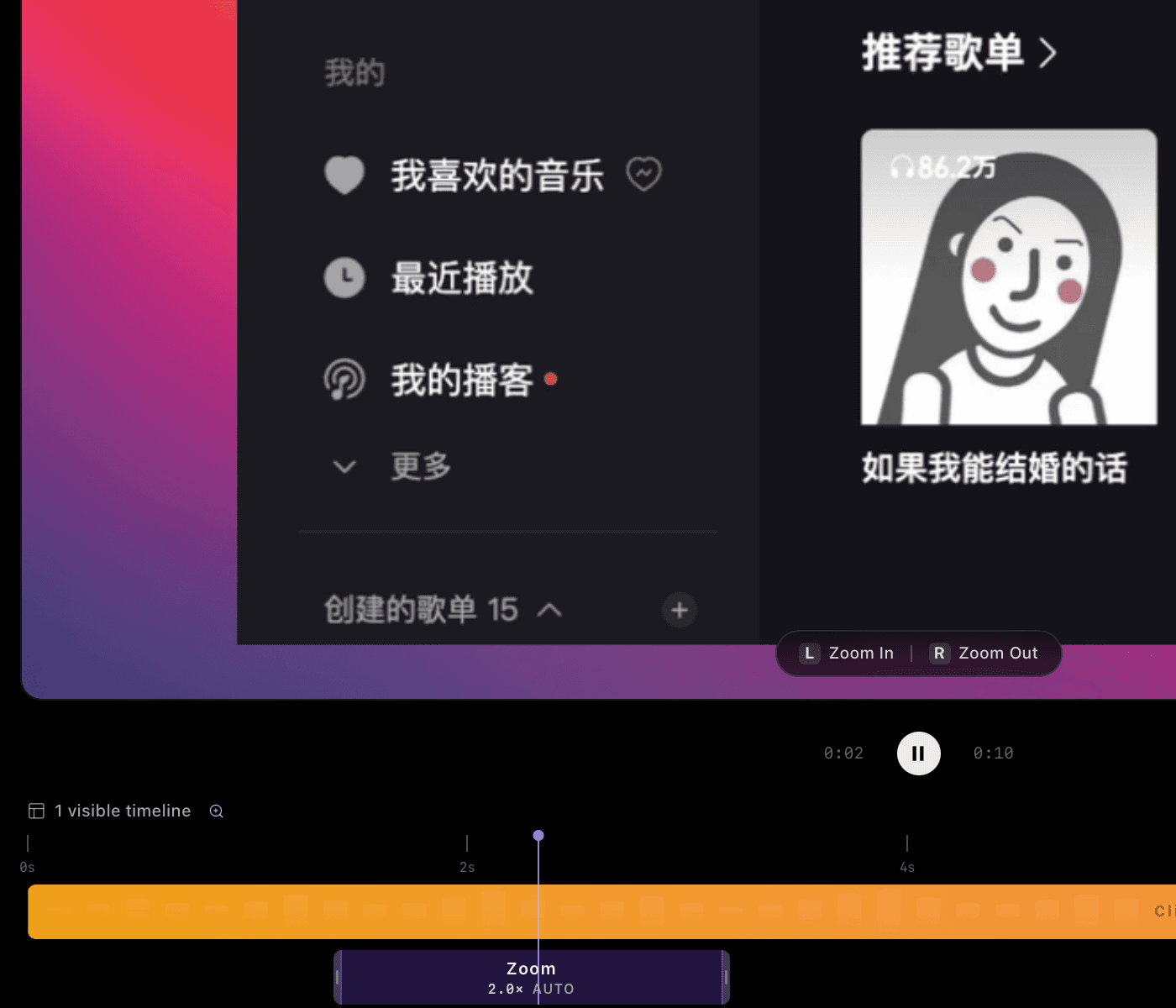
What automatic zoom does
A full desktop gives context, but a small button can disappear on a phone screen. A closer view makes that action easier to see, then a wider view shows the result. Automatic zoom helps create those changes without building every camera movement from scratch. It does not invent missing detail in a low-resolution recording.
Record a sequence that is easy to follow
Open the app at a readable size before recording. Move the pointer deliberately and pause briefly on the control you are explaining. Review the result at the size your audience will actually watch.
- Select the application window or a focused recording area.
- Complete one task with a clear beginning and visible result.
- Review focus and camera movement in the editor; trim pauses or change clip speed.
- Watch the exported video and confirm that labels and important controls remain readable.
Zoom, cursor smoothing and motion blur have different jobs
Zoom changes the framing. Cursor smoothing makes the pointer’s path steadier. Motion blur adds a small amount of softness during movement. For tutorials with small text, start with a restrained blur setting and check moving and stationary frames. The goal is to explain the action clearly, not to add movement everywhere.
Finish your first video for free
- Free: export up to 1080P
- Recording, automatic focus, timeline editing, and 480P, 720P or 1080P export. No account is required for this free workflow.
- 4K: US$2.99/month, US$19.99/year or US$39.90 lifetime
- Sign in with Google to buy and restore access on another device. 4K export requires an internet connection to verify access. A 4K export does not add missing detail to low-resolution footage.
Questions before you record
Is automatic zoom the same as a digital crop?
A crop sets the visible area; camera zoom changes framing over time. Both depend on the detail in the original recording. Exporting at 4K cannot recover detail that was never captured.
Does automatic zoom require the 4K upgrade?
No. The paid feature is 4K export. You can use the recording and editing workflow and export up to 1080P for free.
Does it work on Windows and Mac?
Downloads are available for Windows 10/11 x64 and Apple silicon Macs running macOS 13 or later.