From interaction to explanation
Make a product demo from a screen recording
A useful product demo shows one problem, one action and a visible result. Click to Reel helps you record that workflow, bring the important interaction into focus and remove the pauses before exporting a video for your website, release notes or customer walkthrough.
macOS 13+ (Apple silicon) · Windows 10/11 (x64)
Click to Reel · v0.1.41 · Updated
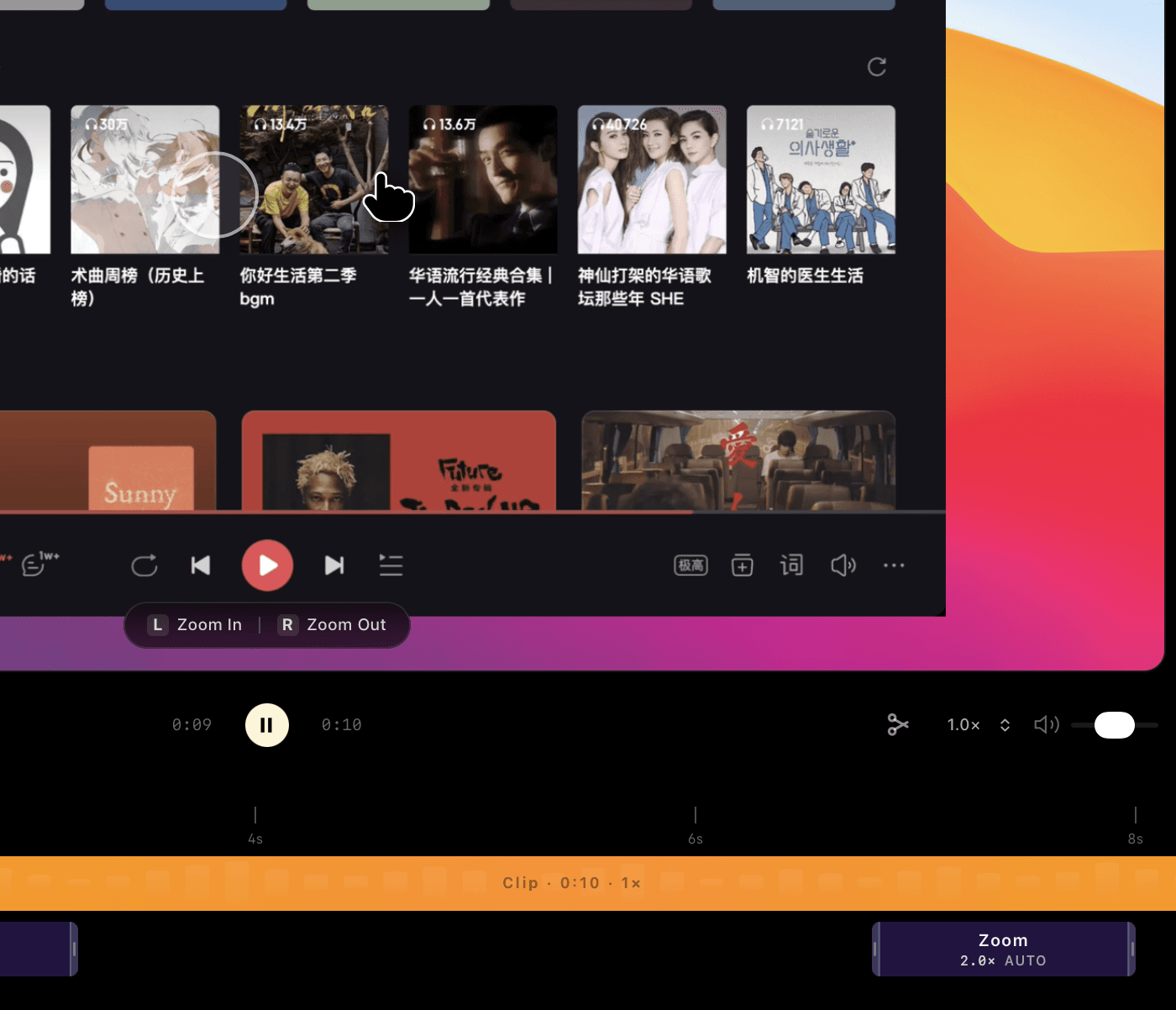
Plan a demo around one outcome
For a task-management feature, start with a task that needs assigning, show the assignment and finish on the updated owner. Avoid touring every menu. Use a demonstration account with non-sensitive data and prepare the starting state before pressing record.
A practical 30–60 second outline
The timings below are a starting point, not an automatic video-generation feature. Record real product behavior and choose the pace that makes it understandable.
- First 5–10 seconds: show the starting problem or unfinished task.
- Next 15–30 seconds: perform the key interaction, giving each click time to register.
- Final 5–15 seconds: show the result and leave enough time to read it.
- In the editor: cut waiting time, review cursor focus and choose the final framing.
Export for the place people will watch
A 1080P export is a useful starting point for a website walkthrough and is free in Click to Reel. Check the video on a smaller screen before publishing. Use a high-resolution source and the paid 4K export when your delivery needs more pixels. Add a plain-text description alongside your embedded video so visitors can understand its purpose before watching.
Keep the promise visible
An attractive background and smooth camera movement should support the product’s result. Watch the export without your explanation: can someone identify the action and understand what changed? If not, simplify the recording or make another take. Click to Reel edits recorded interactions; it does not build a fictional product demo from a text prompt.
Finish your first video for free
- Free: export up to 1080P
- Recording, automatic focus, timeline editing, and 480P, 720P or 1080P export. No account is required for this free workflow.
- 4K: US$2.99/month, US$19.99/year or US$39.90 lifetime
- Sign in with Google to buy and restore access on another device. 4K export requires an internet connection to verify access. A 4K export does not add missing detail to low-resolution footage.
Questions before you record
Can I use this for SaaS tutorials and feature launches?
Yes. You can record a display, window or area, review automatic focus, trim the timeline and export a video file for a tutorial, walkthrough or release announcement.
Do I need a subscription?
Choose US$2.99/month or US$19.99/year with automatic renewal, or US$39.90 lifetime without renewal. Cancel subscription renewal in your account; paid access continues to the end of the paid period. Exports up to 1080P are free.
Does Click to Reel publish or host my video?
This workflow produces a video file. Upload it to your chosen website or video service; recording and editing do not automatically publish your footage.